How-To

Every Xealty workflow, one tap away.

Real screenshots and step-by-step workflows show how agents, partners, and clients actually move through Xealty.

Run Your Business

Turn the day into a clear sequence of action.

AgendaWorkflow 1
Today's Business

Know what needs attention before the first appointment.

The agent opens Xealty in the morning and sees the tasks that can actually move business today.

Result

The agent knows who to contact, why now, and what the next promise is before the day gets noisy.

Opens Xealty if installed. Otherwise, you will be sent to the app store.
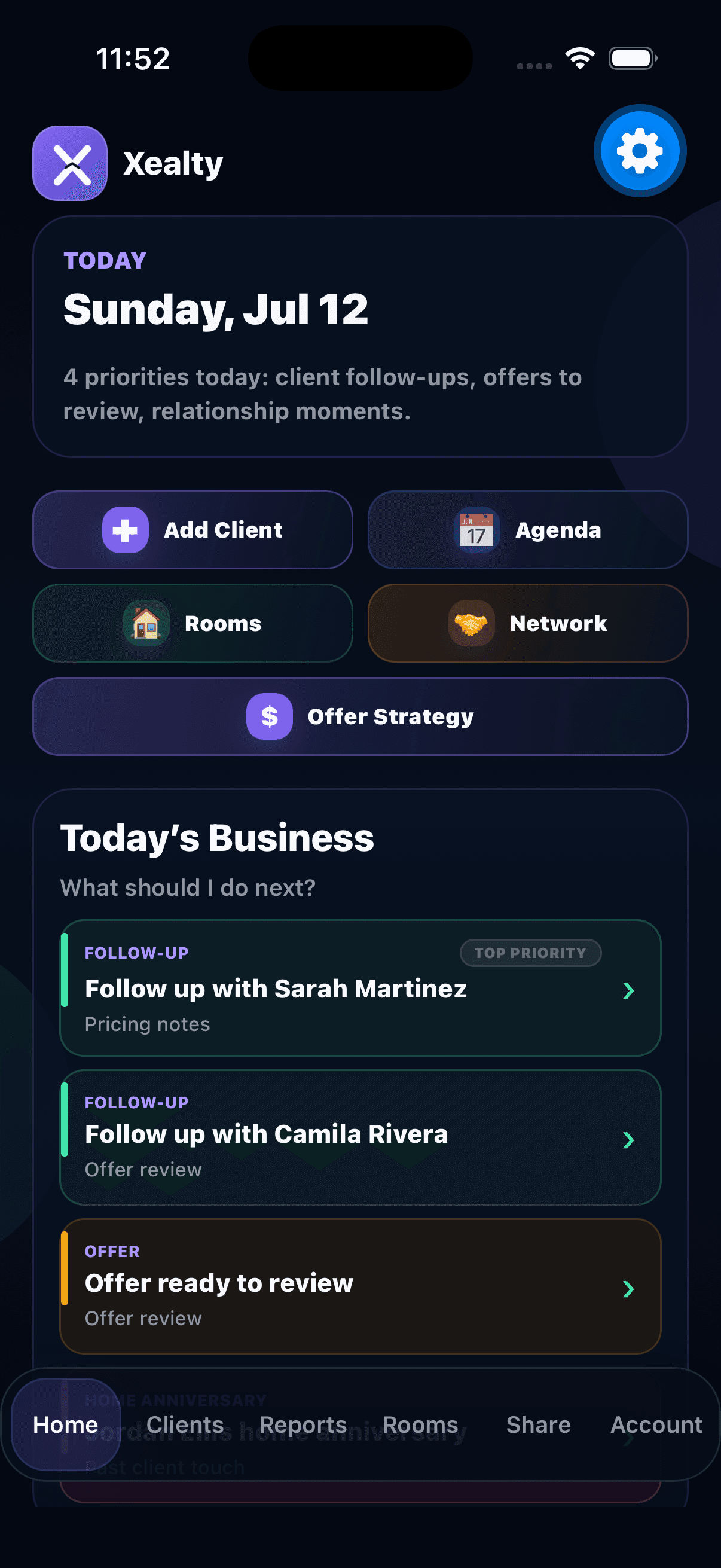
See today's agenda screenshotPricing notes
1

Step 1

See today's agenda

Today’s Business starts with compact, color-coded priorities and a short reason: pricing notes, offer review, room activity, anniversaries, and referrals.
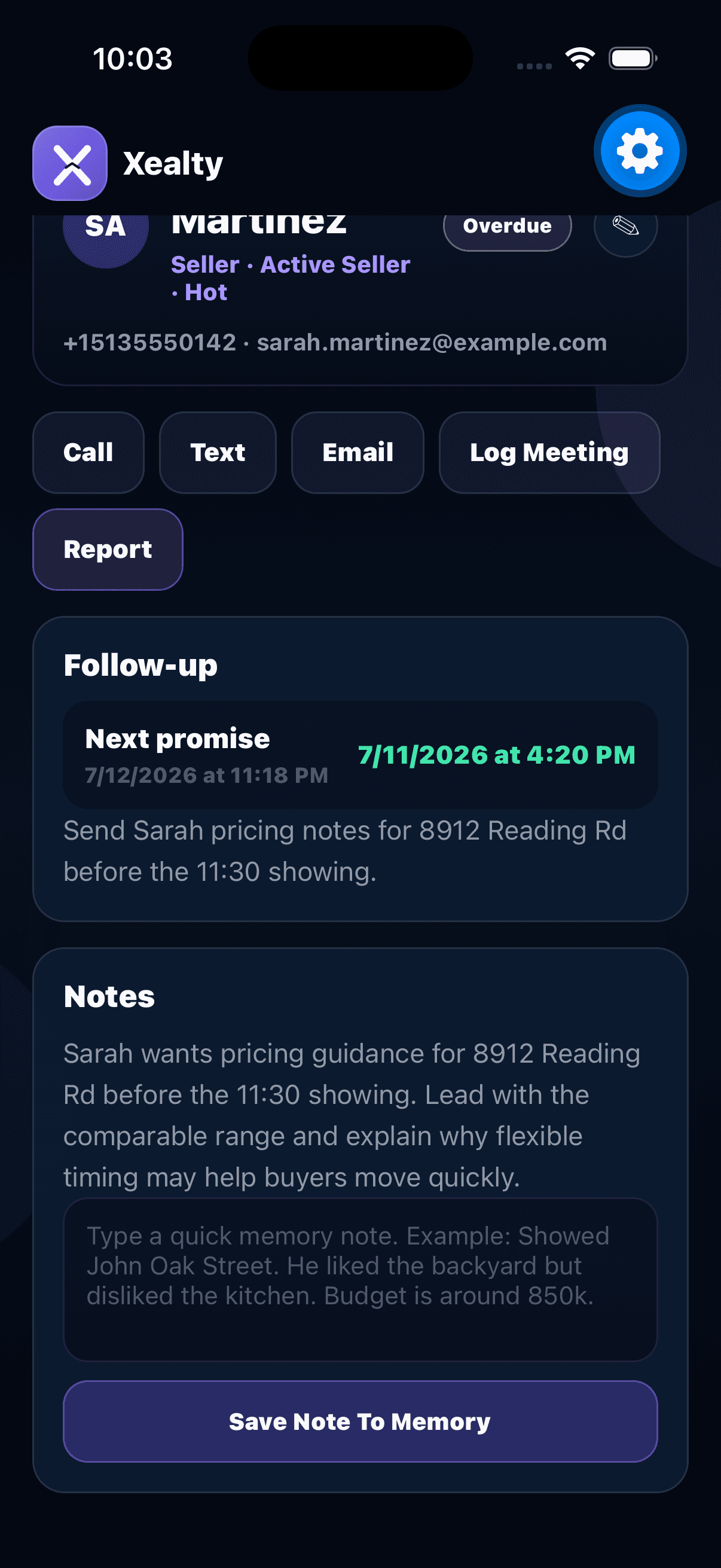
Open Sarah screenshotPricing notes due
2

Step 2

Open Sarah

Tap Sarah and her profile opens with the exact promise, property, and follow-up reason attached.
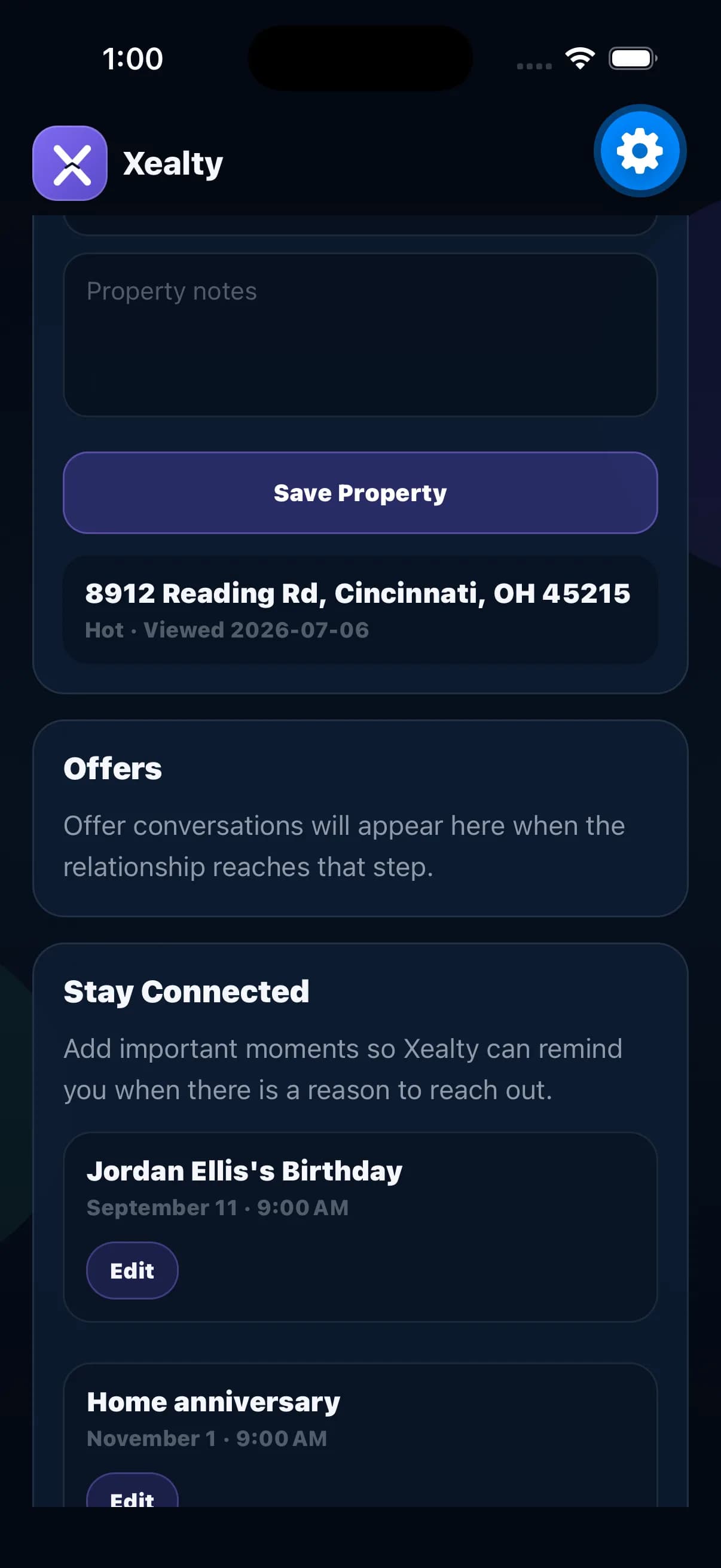
Take the next action screenshotSet next reminder
3

Step 3

Take the next action

Use the profile context to send the pricing notes, log the touch, and keep the next promise visible.
Run Your Business

Turn the day into a clear sequence of action.

ReportsWorkflow 2
Reports

Prepare a property conversation in minutes.

Reports are not a feature to admire. They are how an agent walks into the next conversation prepared.

Result

The client understands the value before the meeting turns into guesswork.

Opens Xealty if installed. Otherwise, you will be sent to the app store.

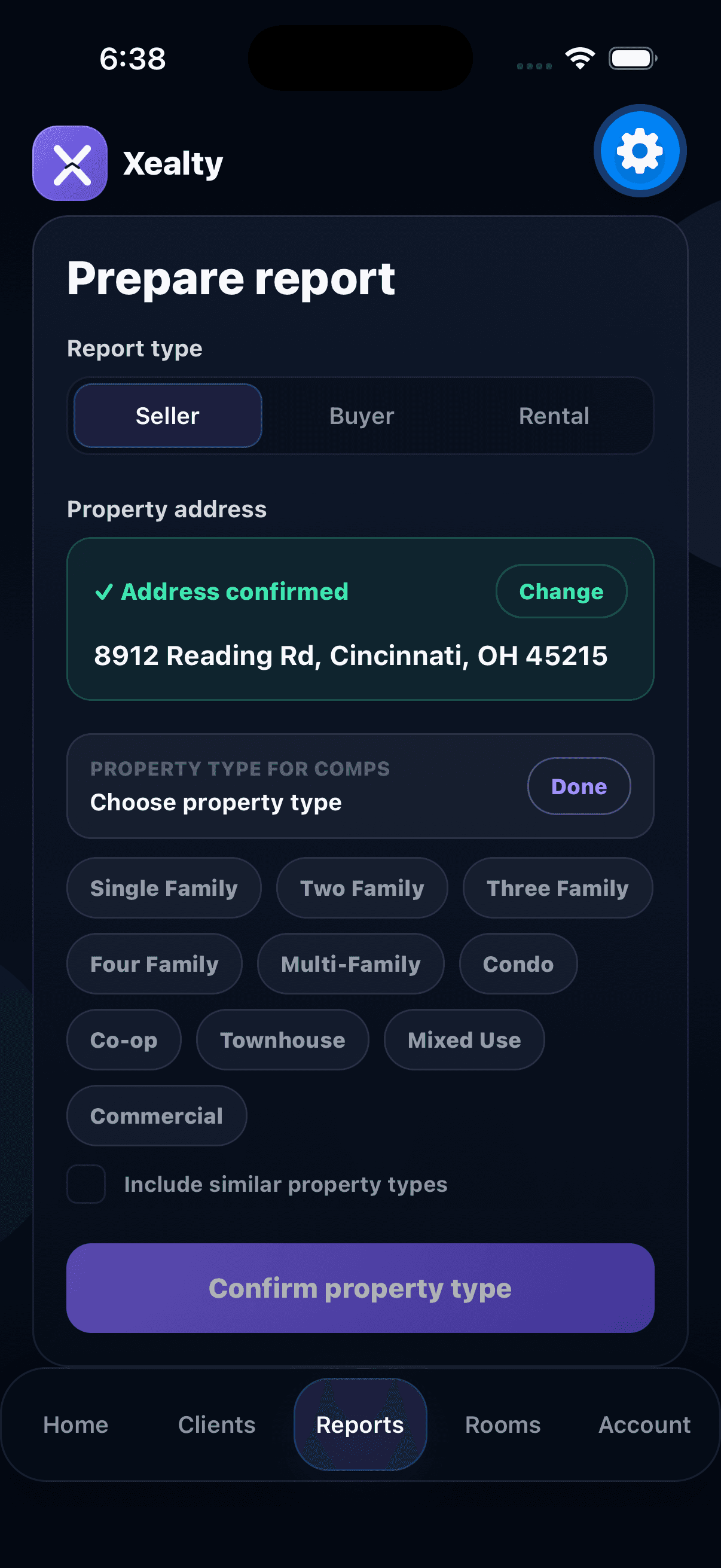
Confirm property screenshotChoose property type
1

Step 1

Confirm property

Enter the address, then choose the property type used for comps.

Review report screenshotMarket range
2

Step 2

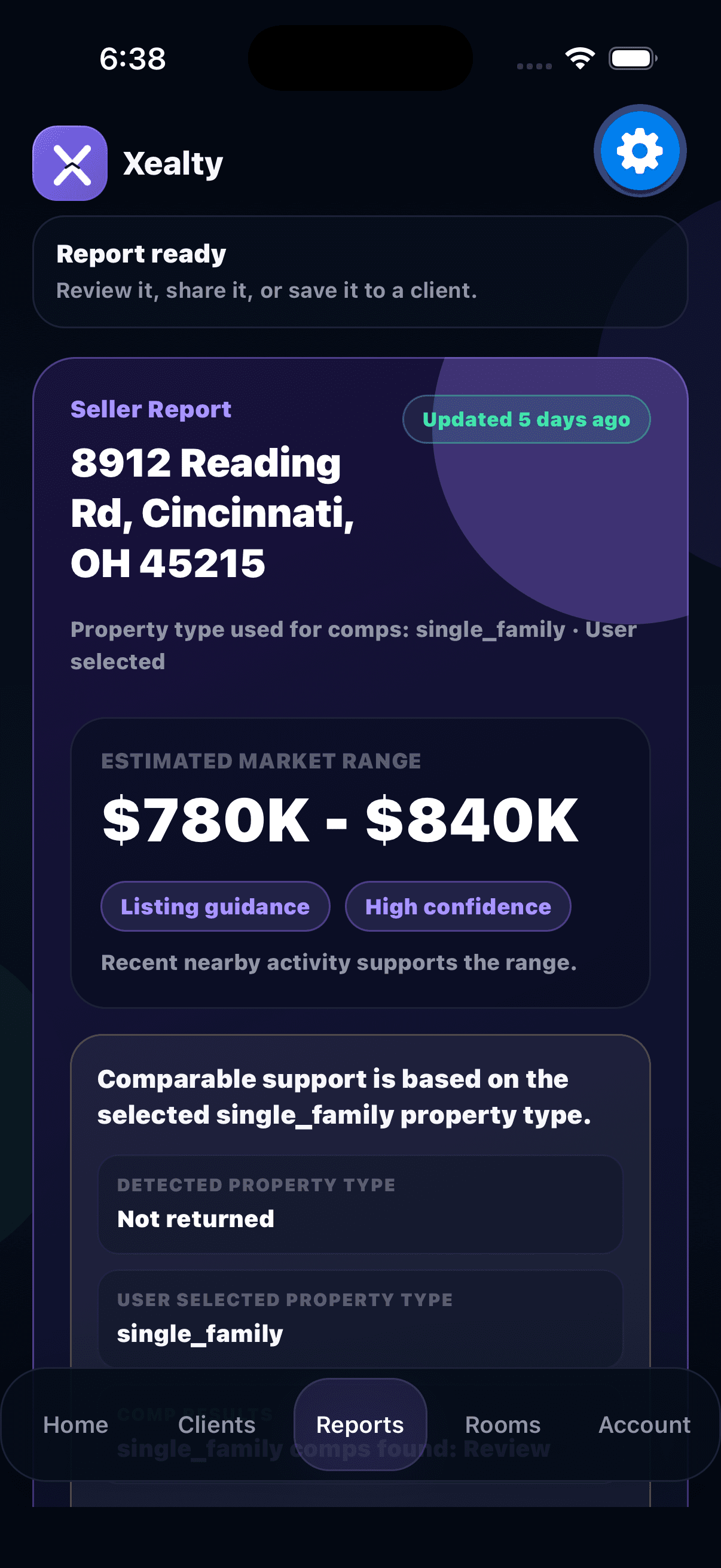
Review report

See the value range, confidence, and market summary.

Check comps screenshotTap a comp for details
3

Step 3

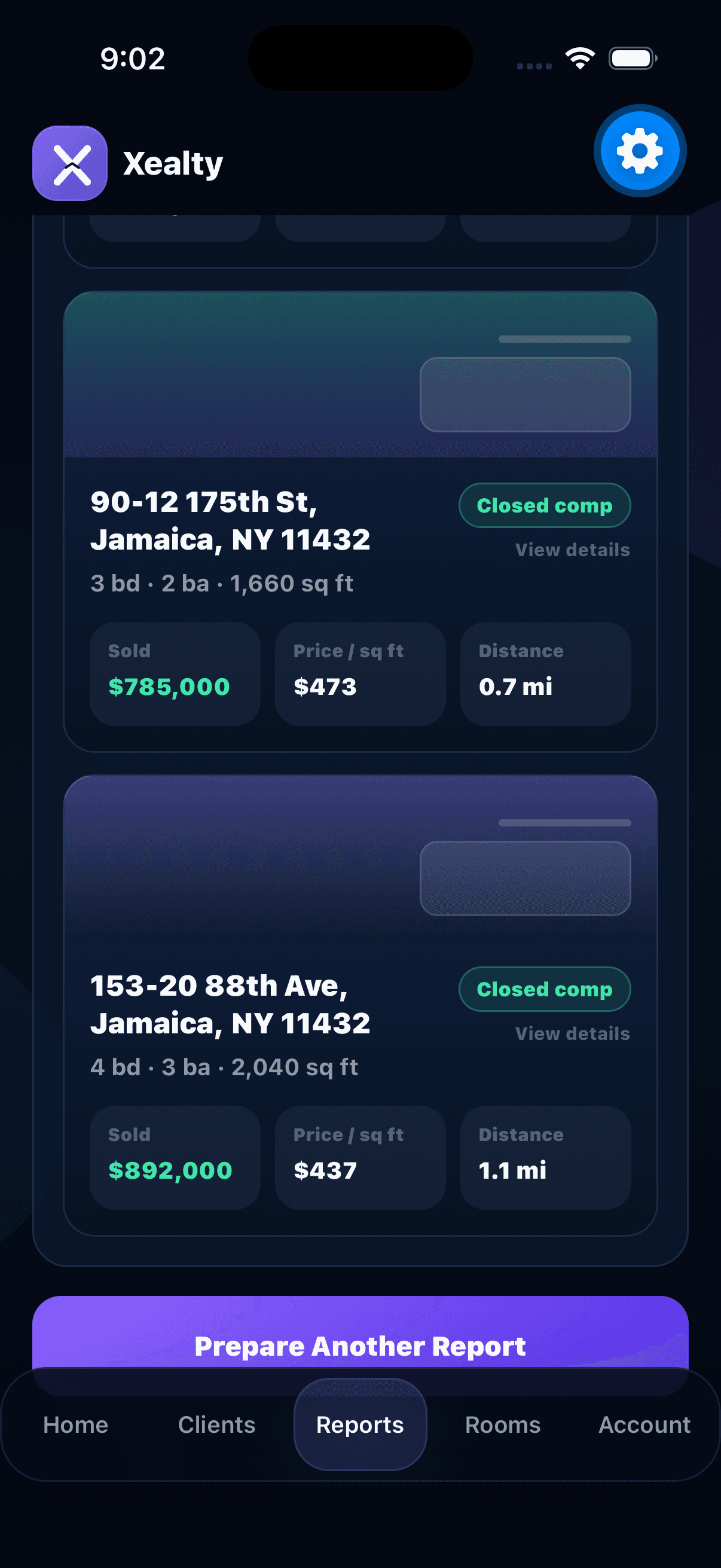
Check comps

Review the comparable sales, then tap any comp for details.

Know what to say screenshotDiscussion prompts
4

Step 4

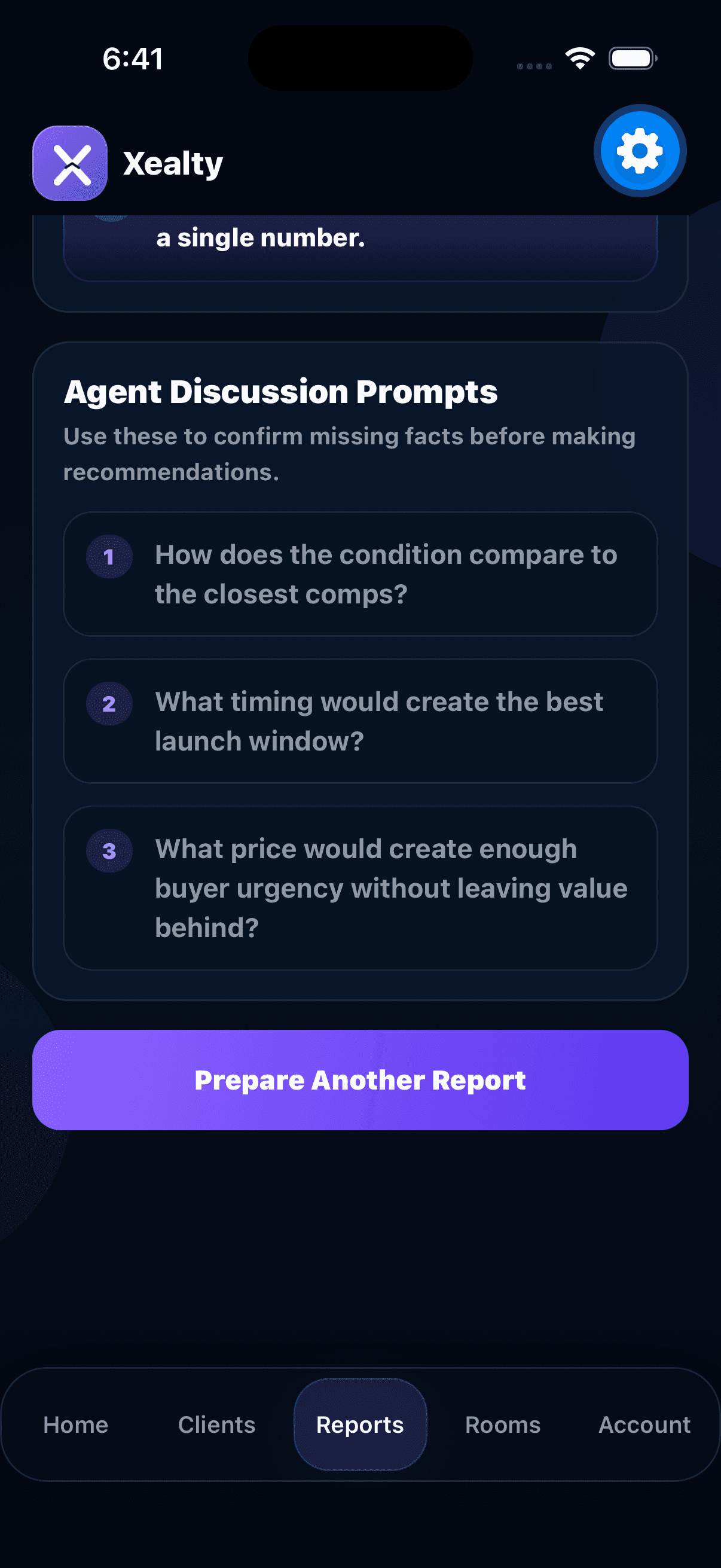
Know what to say

Use discussion prompts before the client conversation.

Run Your Business

Turn the day into a clear sequence of action.

ClientsWorkflow 3
Clients + Follow-Ups

Keep relationship memory close to the next action.

A client profile should answer who they are, what happened last, and what needs to happen next.

Result

Every conversation ends with a next step, so relationships keep moving between appointments.

Opens Xealty if installed. Otherwise, you will be sent to the app store.

Open a client screenshotChoose a client
1

Step 1

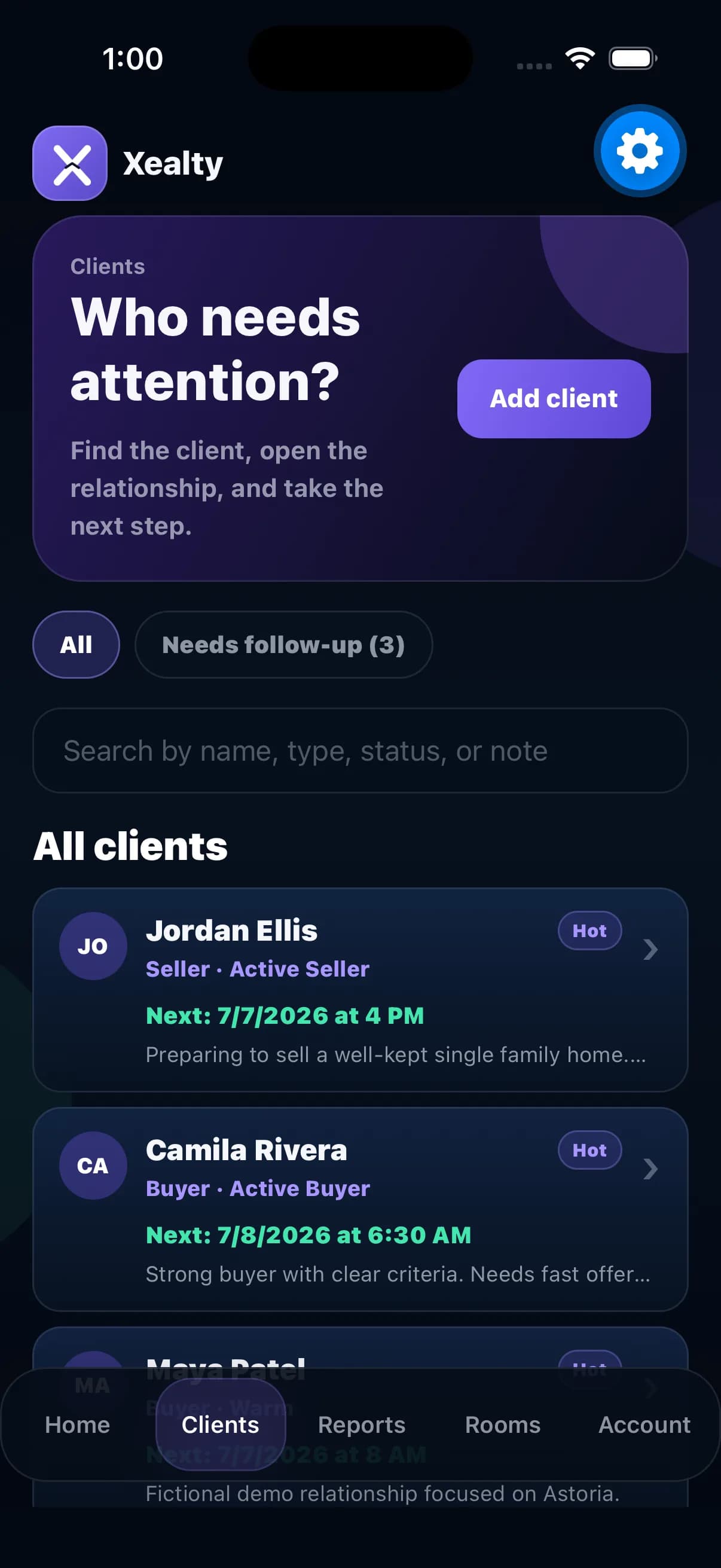
Open a client

Search by name or tap a client from the list when someone needs attention.

Review history screenshotTimeline shows context
2

Step 2

Review history

Read the timeline before calling: reports sent, properties discussed, notes, and follow-ups.

Set the next promise screenshotAdd reminder
3

Step 3

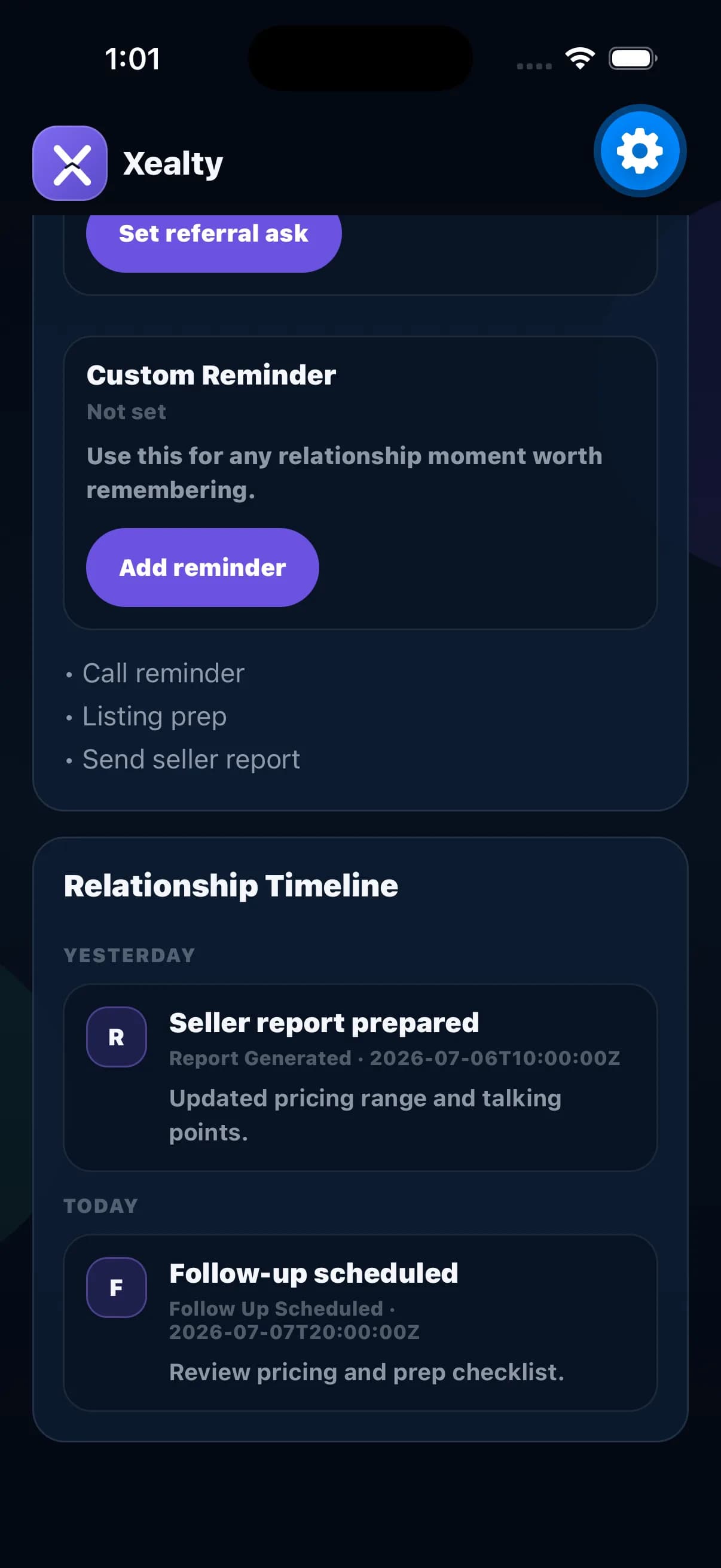
Set the next promise

Add the next follow-up, birthday reminder, call reminder, or custom relationship moment.

Close More Deals

Move from property context to confident decisions.

Property RoomsWorkflow 1
Property Rooms

Create one room for every listing.

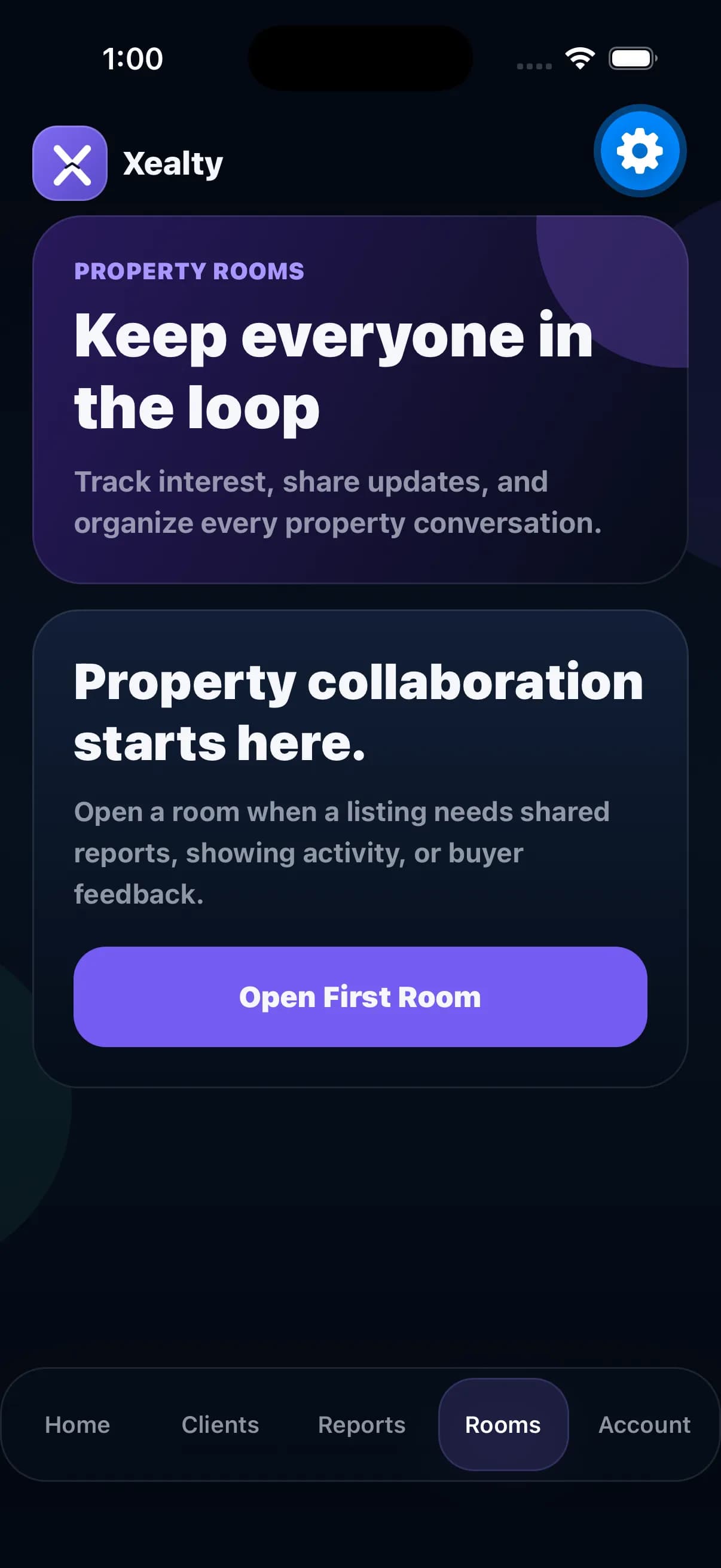
Seller agents create a Property Room for each listed property so buyer agents, feedback, questions, QR joins, and offer intent stay attached to the right address.

Result

The seller agent can manage every listing from its own room: who joined, what they asked, who is interested, and what needs follow-up.

Opens Xealty if installed. Otherwise, you will be sent to the app store.

Open Rooms screenshotStart a listing room
1

Step 1

Open Rooms

Start from Rooms when a seller listing needs its own shared workspace.

Pick the listing screenshotEach listing has a room
2

Step 2

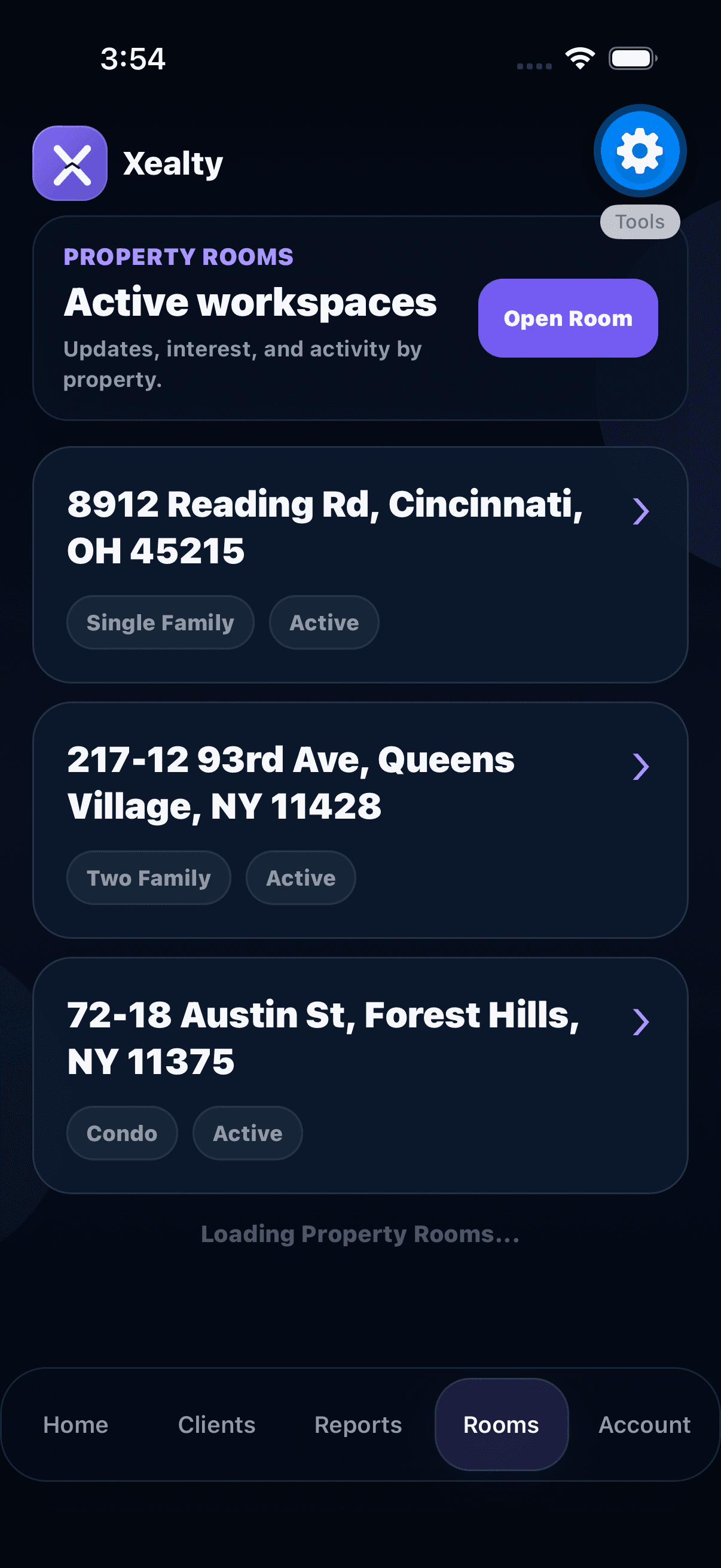
Pick the listing

The seller agent sees each active listing as its own room instead of one mixed thread.

Share the room QR screenshotScan into this room
3

Step 3

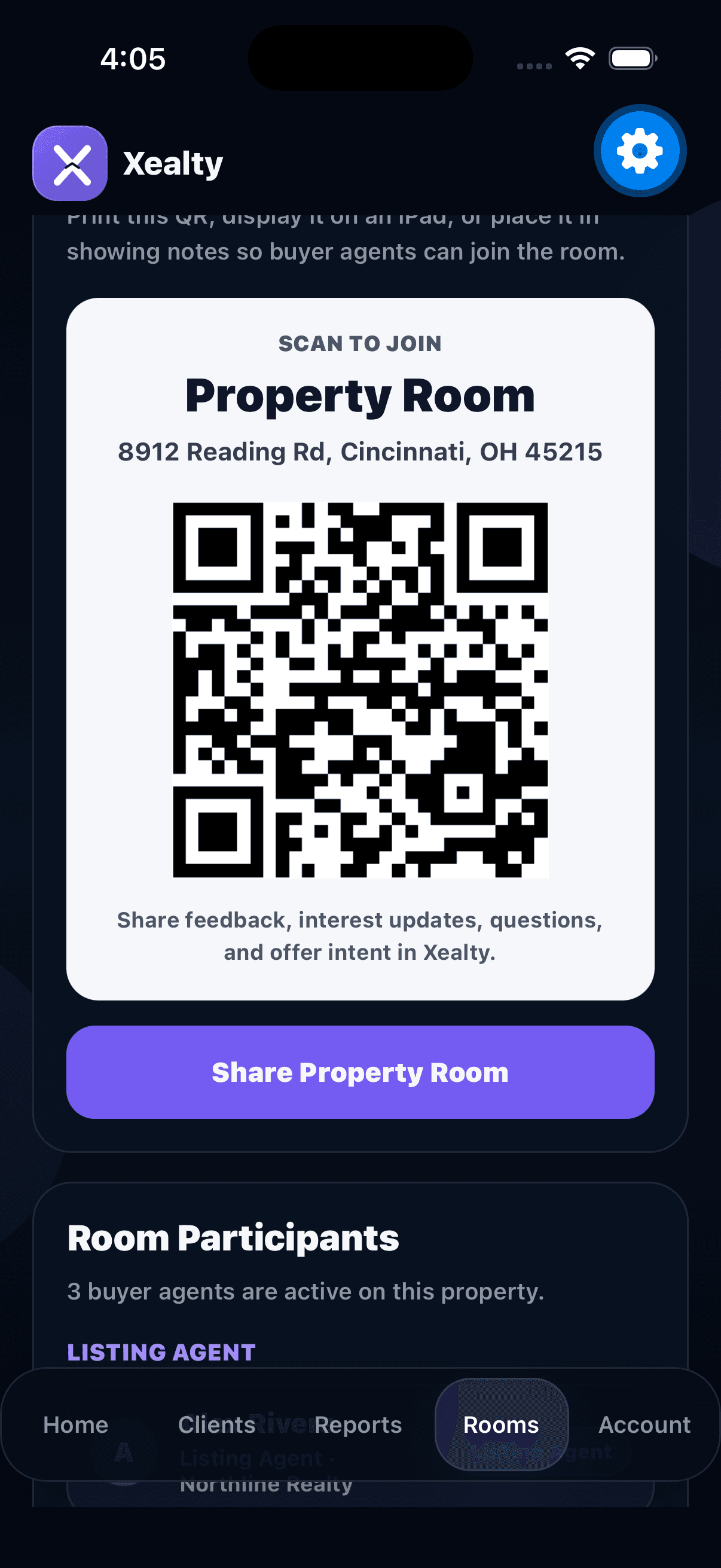
Share the room QR

Place the QR in showing notes, open house materials, or a text so buyer agents join the exact property room.

Review buyer-agent activity screenshotBuyer-agent activity
4

Step 4

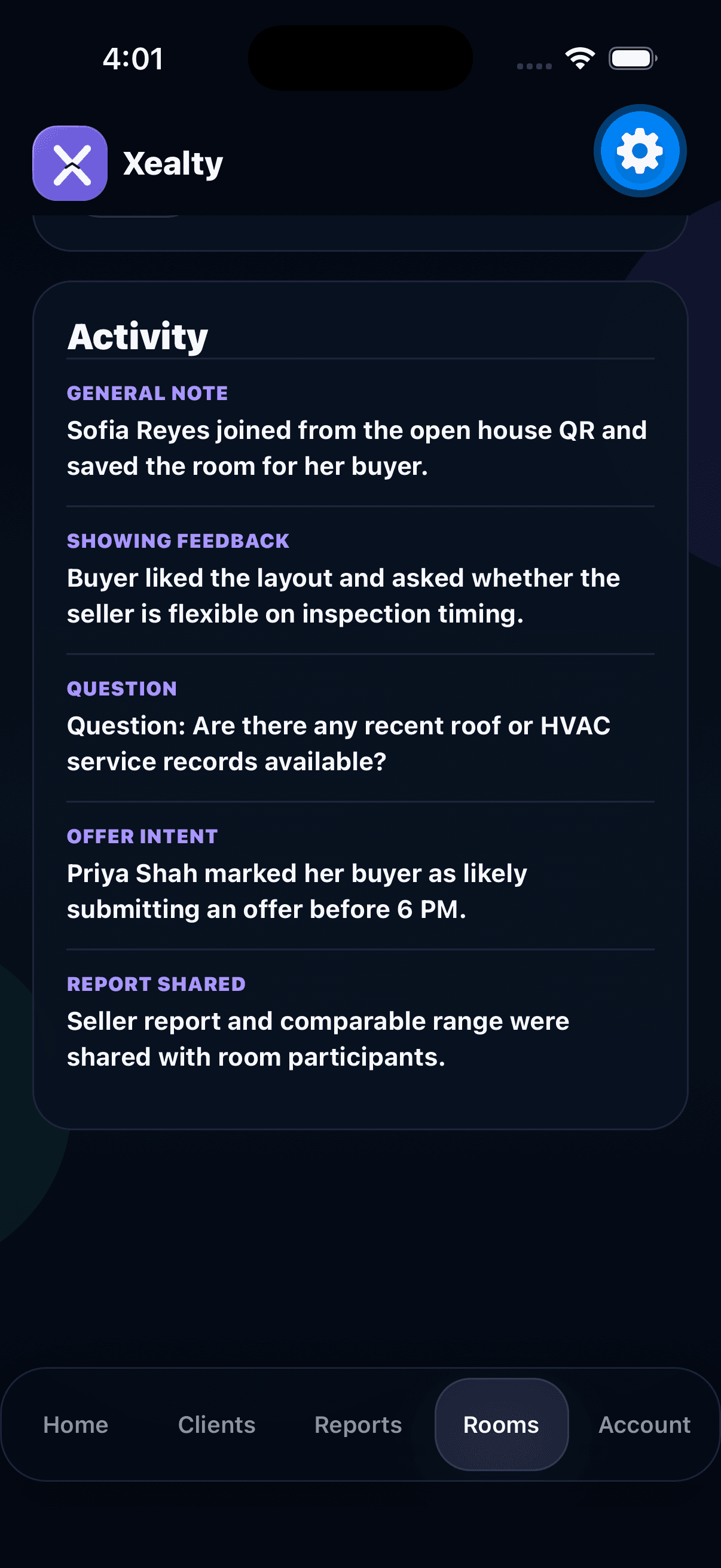
Review buyer-agent activity

See who joined, feedback, questions, interest status, and offer intent without digging through texts.

Close More Deals

Move from property context to confident decisions.

Offer AssistanceWorkflow 2
Offer Assistance

Build the offer before generating the paperwork.

Offer Assistance walks the agent through price, financing, contingencies, market context, strength, and package generation one step at a time.

Result

The agent understands the strategy before sending paperwork, so the offer feels prepared instead of rushed.

Opens Xealty if installed. Otherwise, you will be sent to the app store.

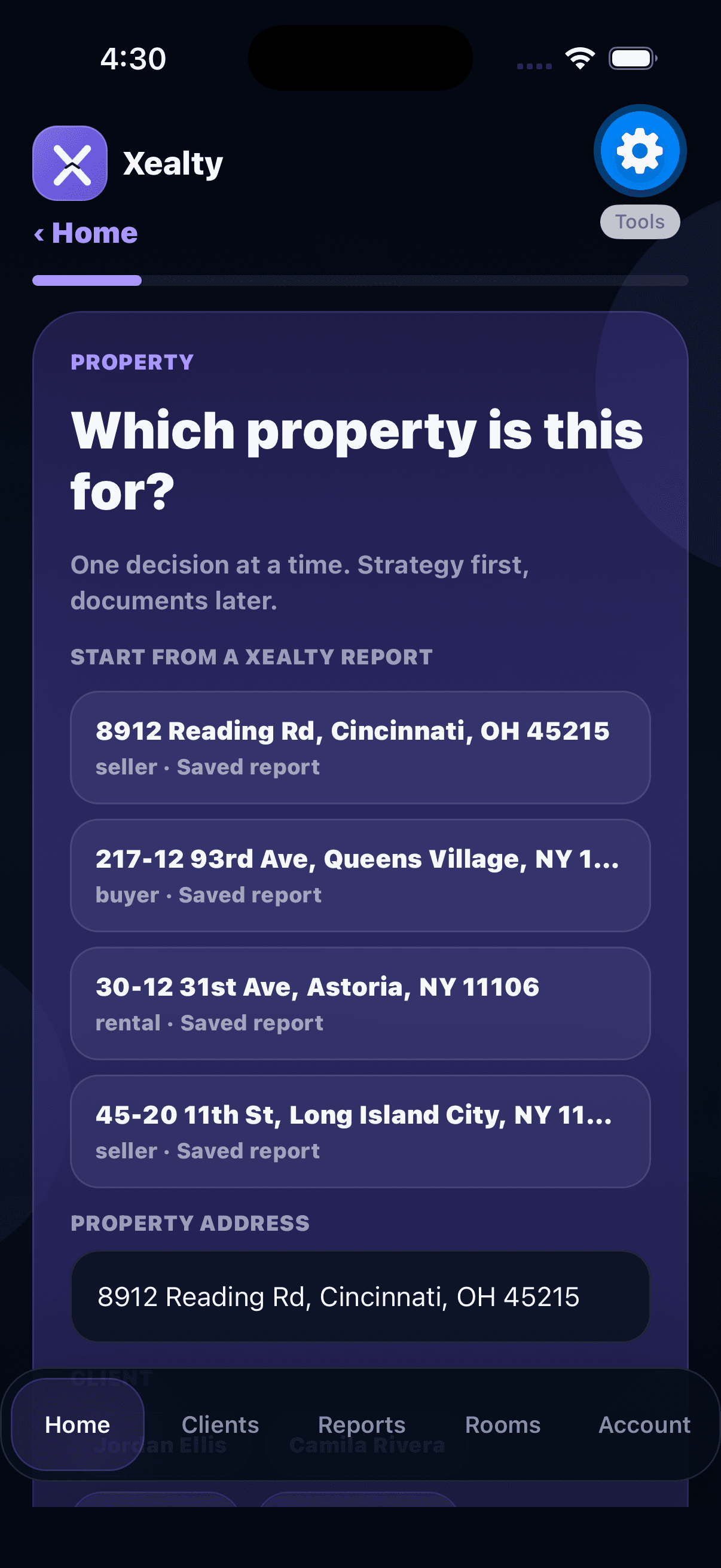
Choose the property screenshotStart from report
1

Step 1

Choose the property

Start from a saved report so the offer is tied to the right address, client, and Property Room.

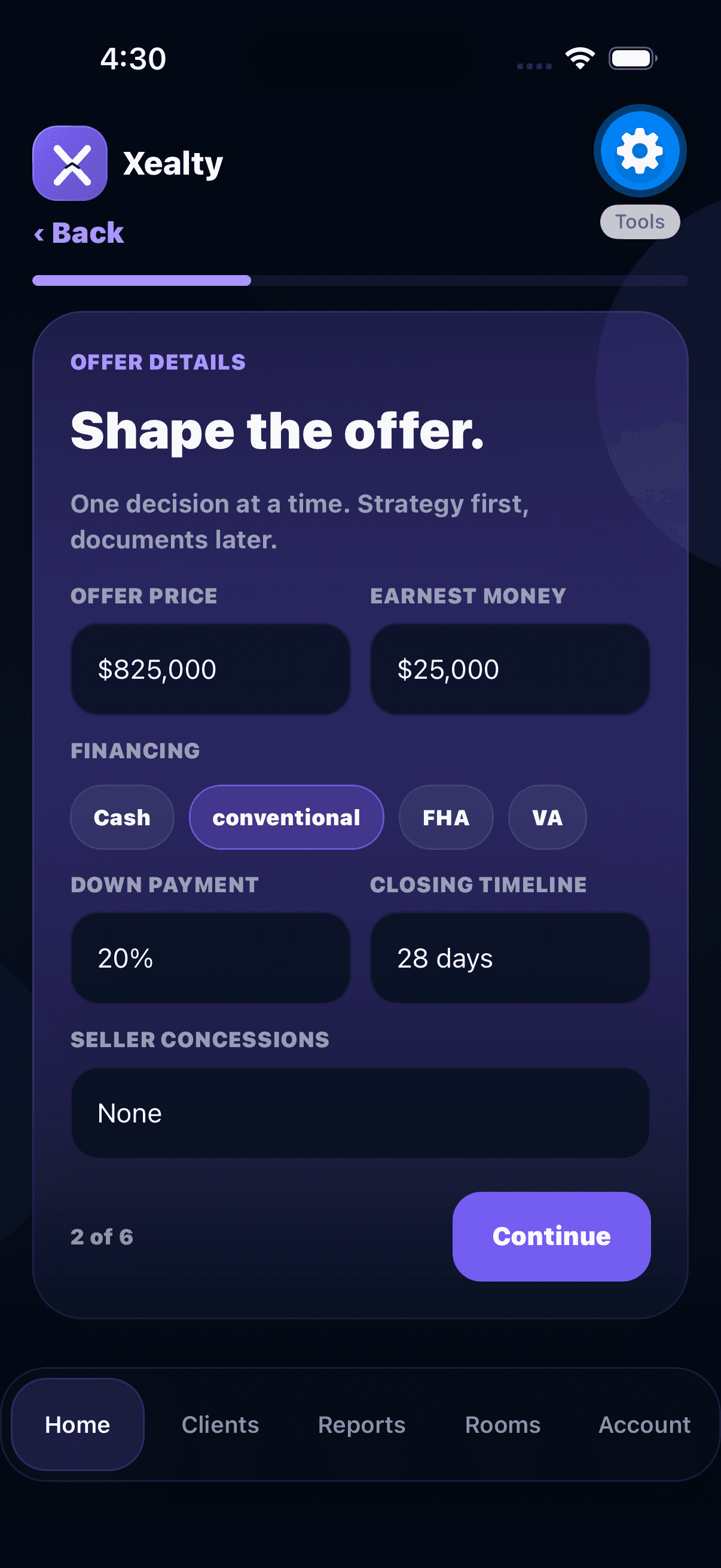
Enter offer terms screenshot$825K offer
2

Step 2

Enter offer terms

Add price, earnest money, financing, down payment, closing timeline, and concessions without seeing a giant form.

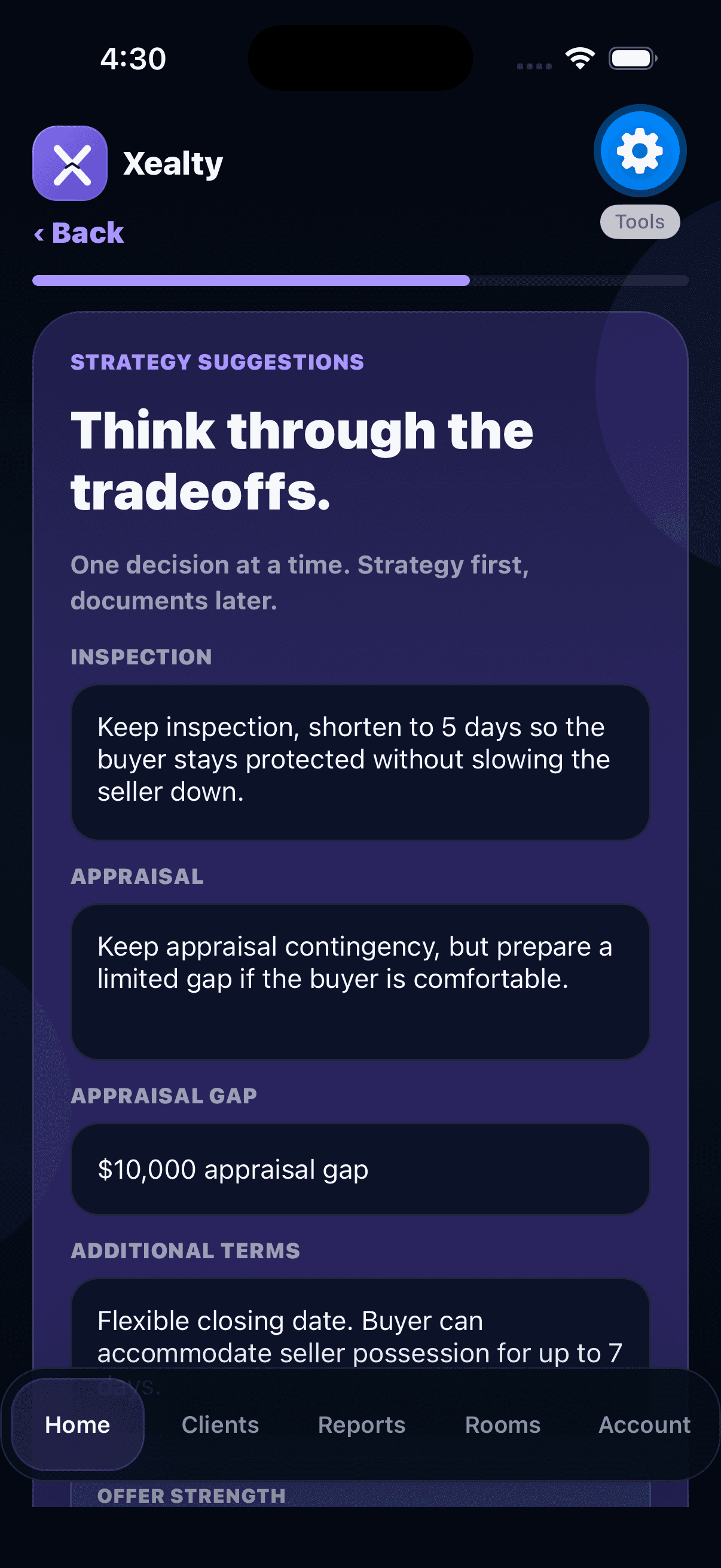
Review strategy screenshotStrategy first
3

Step 3

Review strategy

Think through inspection, appraisal, gap coverage, seller flexibility, and tradeoffs before the document exists.

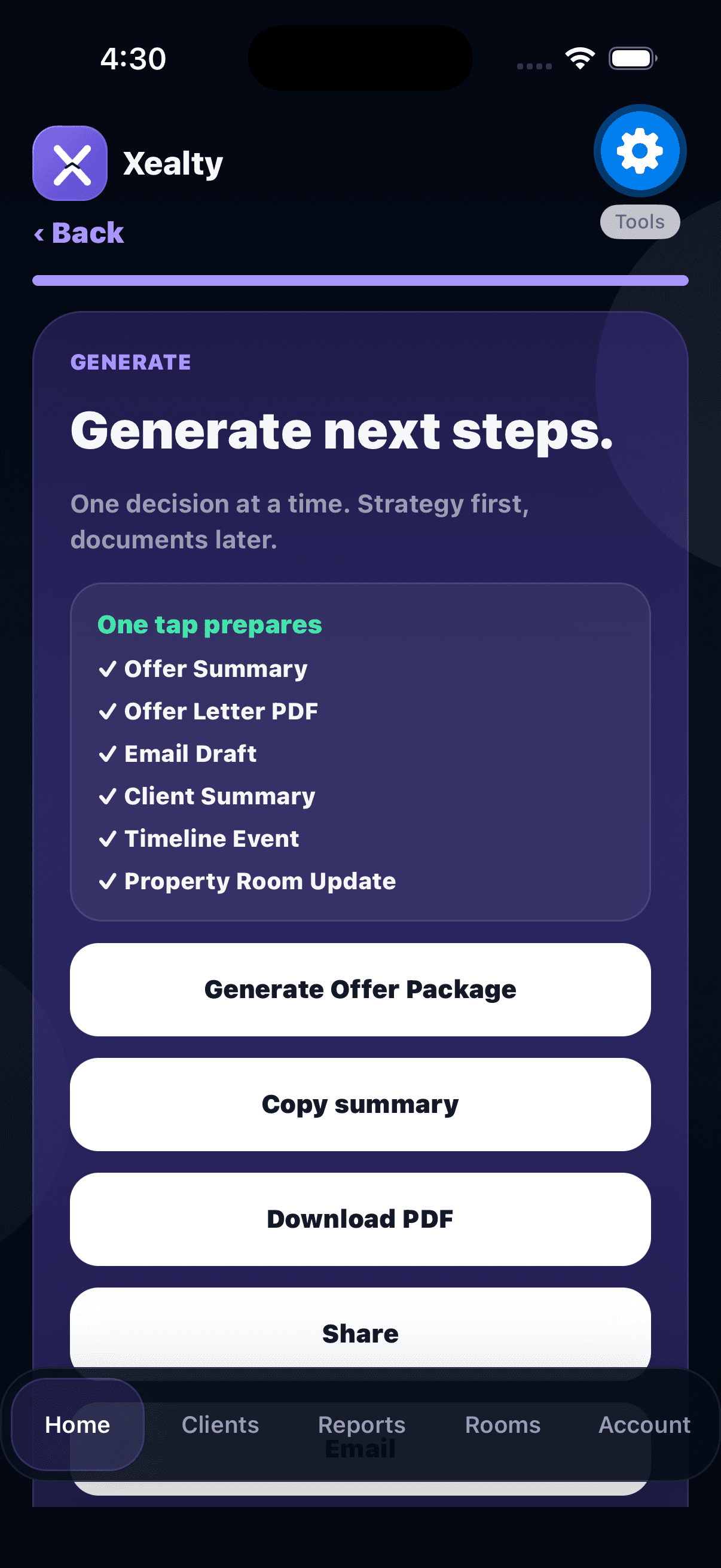
Generate package screenshotOne tap package
4

Step 4

Generate package

Create the offer summary, PDF, email draft, client summary, timeline event, and Property Room update.

Grow Your Business

Turn good work into reputation and opportunity.

GrowthWorkflow 1
Grow Your Business

See the work that is building trusted visibility.

Growth Hub is not a public leaderboard. It helps agents understand which real activities are feeding trust, referrals, and useful discovery signals.

Result

Xealty can reward meaningful work: completed referrals, shared Property Rooms, response activity, profile completeness, and real relationship history.

Opens Xealty if installed. Otherwise, you will be sent to the app store.

Open Growth Hub screenshotGrowth signals
1

Step 1

Open Growth Hub

Start with the Growth screen to see visibility signals from profile completeness, connection activity, referrals, and collaboration.

Review collaboration screenshotRoom collaboration
2

Step 2

Review collaboration

Property Room activity gives the score meaningful context: shared rooms, feedback, questions, interested buyers, and offer intent.

Check relationship activity screenshotRelationship timeline
3

Step 3

Check relationship activity

Timeline events such as follow-ups, referrals, QR connections, calls, texts, and completed reminders show durable relationship work.

Feed useful referrals screenshotTrusted network
4

Step 4

Feed useful referrals

Network activity helps surface trusted professionals and referral moments based on connection quality, not public likes or follower counts.

Grow Your Business

Turn good work into reputation and opportunity.

ReviewsWorkflow 2
Reviews

Two review paths, one public trust layer.

Realtors request client reviews from the app because their workflow starts in client relationships. Other real estate professionals use the website portal because they do not live inside the realtor workspace.

Result

Realtors collect reviews from client relationships in the app. Other professionals collect them from the web portal. Everyone benefits when approved reviews make public profiles easier to trust and discover.

Opens the website workflow for this experience.

Realtor app request screenshotClient review link
1

Step 1

Realtor app request

Agents open the client in Xealty, use Reviews, and generate a shareable one-time link they can copy, text, email, or share after a relationship moment.

Partner portal request website screenshotGenerate link
2

Step 2

Partner portal request

Lenders, attorneys, inspectors, title teams, and other professionals use the web dashboard to generate their own one-time review link.

Client submits once website screenshotPublic profile
3

Step 3

Client submits once

The client opens the link with no account required. One-time links keep review collection lightweight and harder to spam.

Discovery shows proof website screenshotReviews help discovery
4

Step 4

Discovery shows proof

Approved reviews roll into the public profile and discovery experience with rating, review count, markets, languages, and specialties.

Professional Ecosystem

Help trusted professionals enter the network and stay connected.

ProfilesWorkflow 1
Professional Profiles

Agents use their app profile. Partners build a public one.

Realtors do not create a second profile. Their Xealty app profile is enough. This flow is for lenders, attorneys, inspectors, title teams, insurance agents, contractors, photographers, stagers, and other real estate business professionals.

Result

Agents keep one Xealty identity. Real estate professionals get a trusted public presence agents can discover, share, and recommend.

Opens the website workflow for this experience.

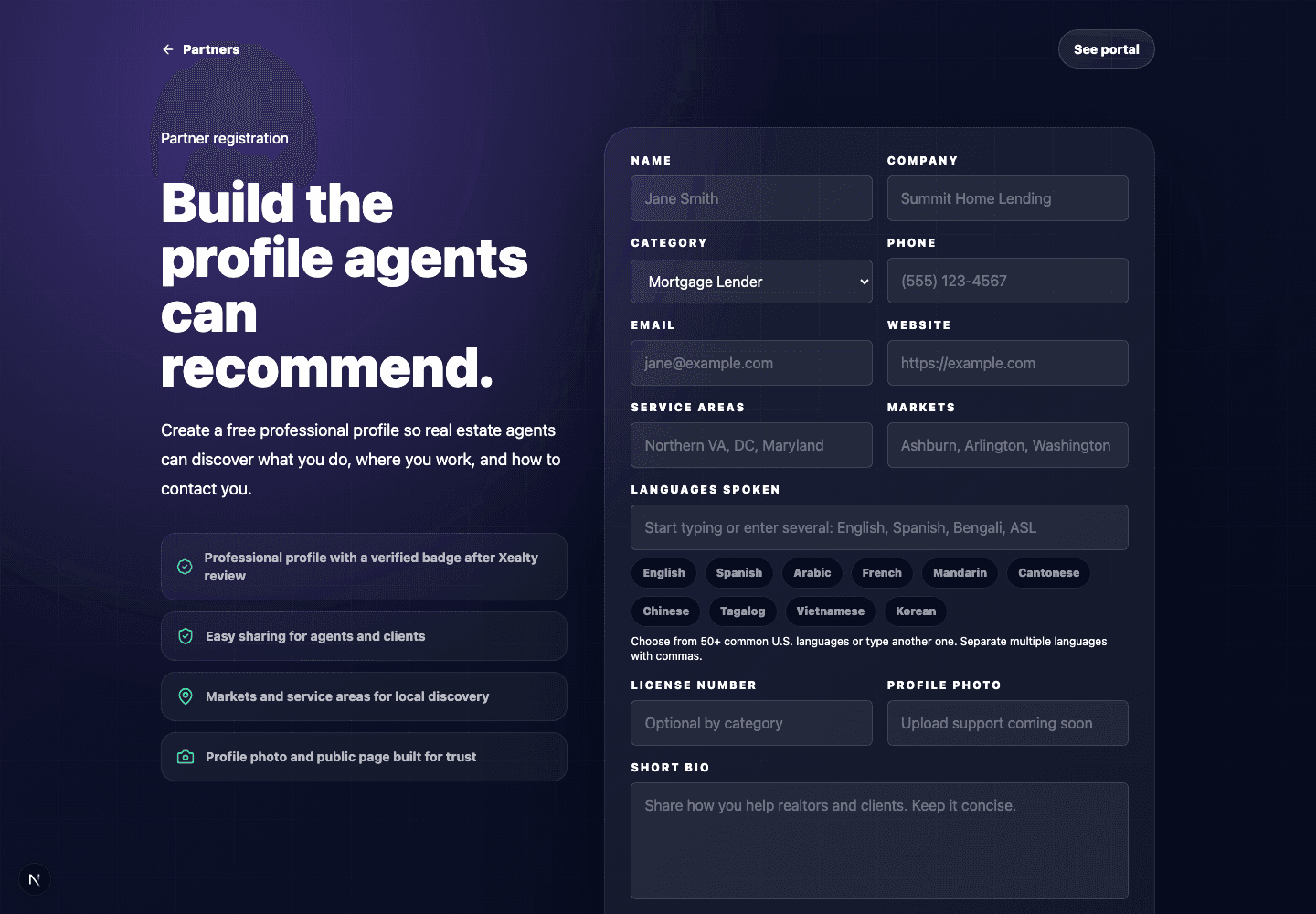
Create partner profile website screenshotPartner profile
1

Step 1

Create partner profile

A real estate business professional creates the profile and adds category, markets, ZIP/city coverage, languages, specialties, website, license info, and a short bio. Agents skip this because their Xealty app profile is already their identity.

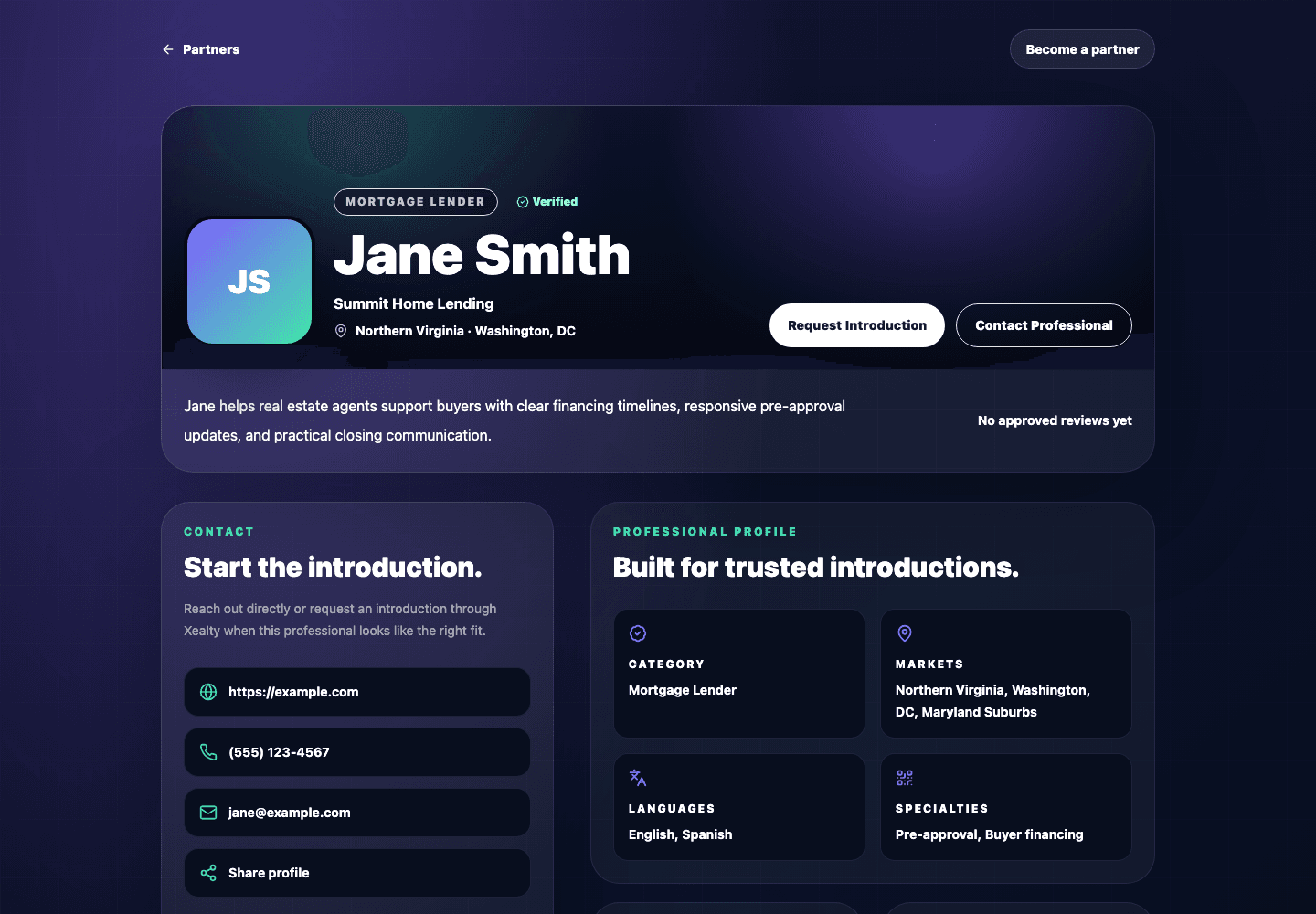
Go live for discovery website screenshotPublic trust signals
2

Step 2

Go live for discovery

The public page shows the professional story, verified details, reviews, markets, languages, specialties, and contact actions agents and clients can inspect before reaching out.

Professional Ecosystem

Help trusted professionals enter the network and stay connected.

NetworkWorkflow 2
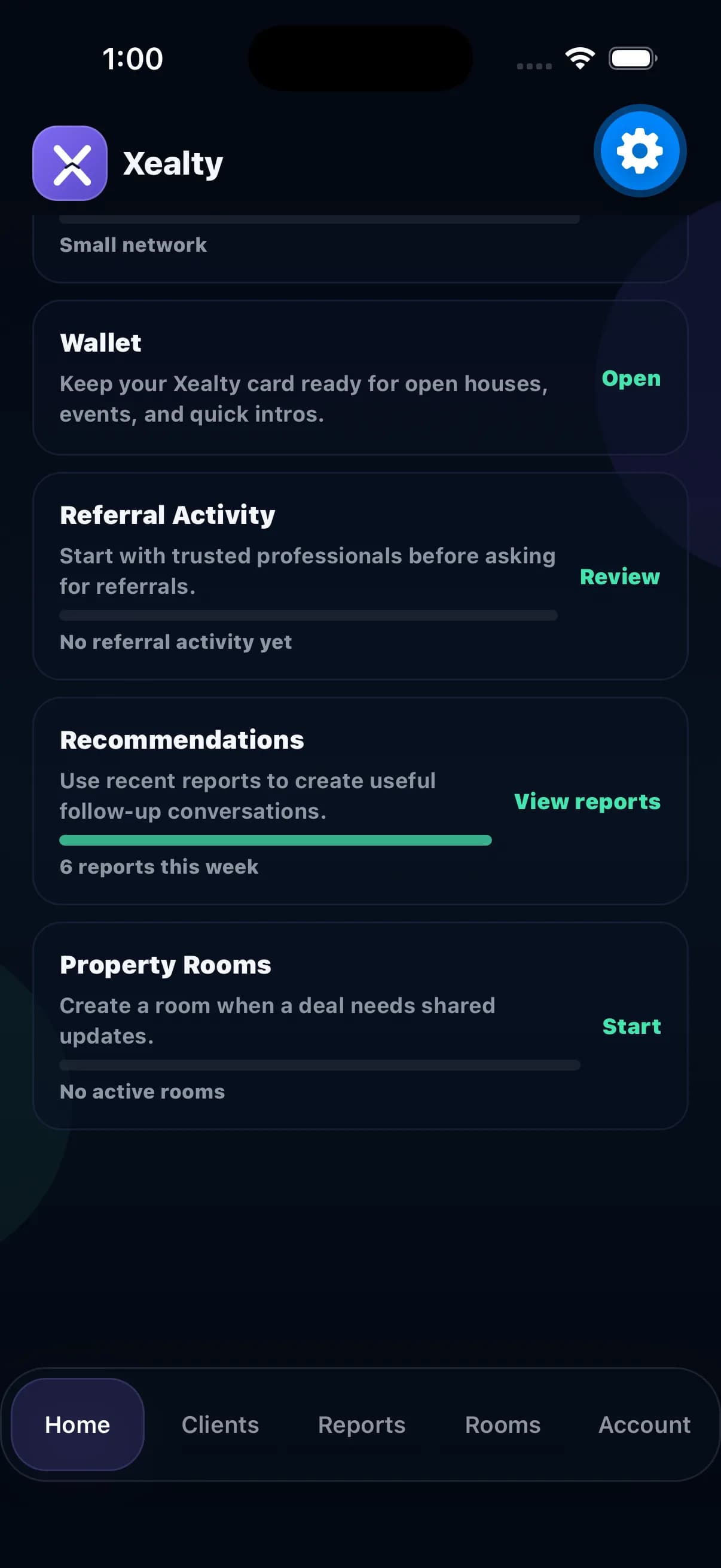
Wallet + QR Networking

Meet someone. Scan. Stay connected.

At events and open houses, the QR turns a quick hello into a saved relationship the agent can actually follow up on.

Result

The scan becomes a saved relationship with context and a next action, not another forgotten contact.

Opens Xealty if installed. Otherwise, you will be sent to the app store.

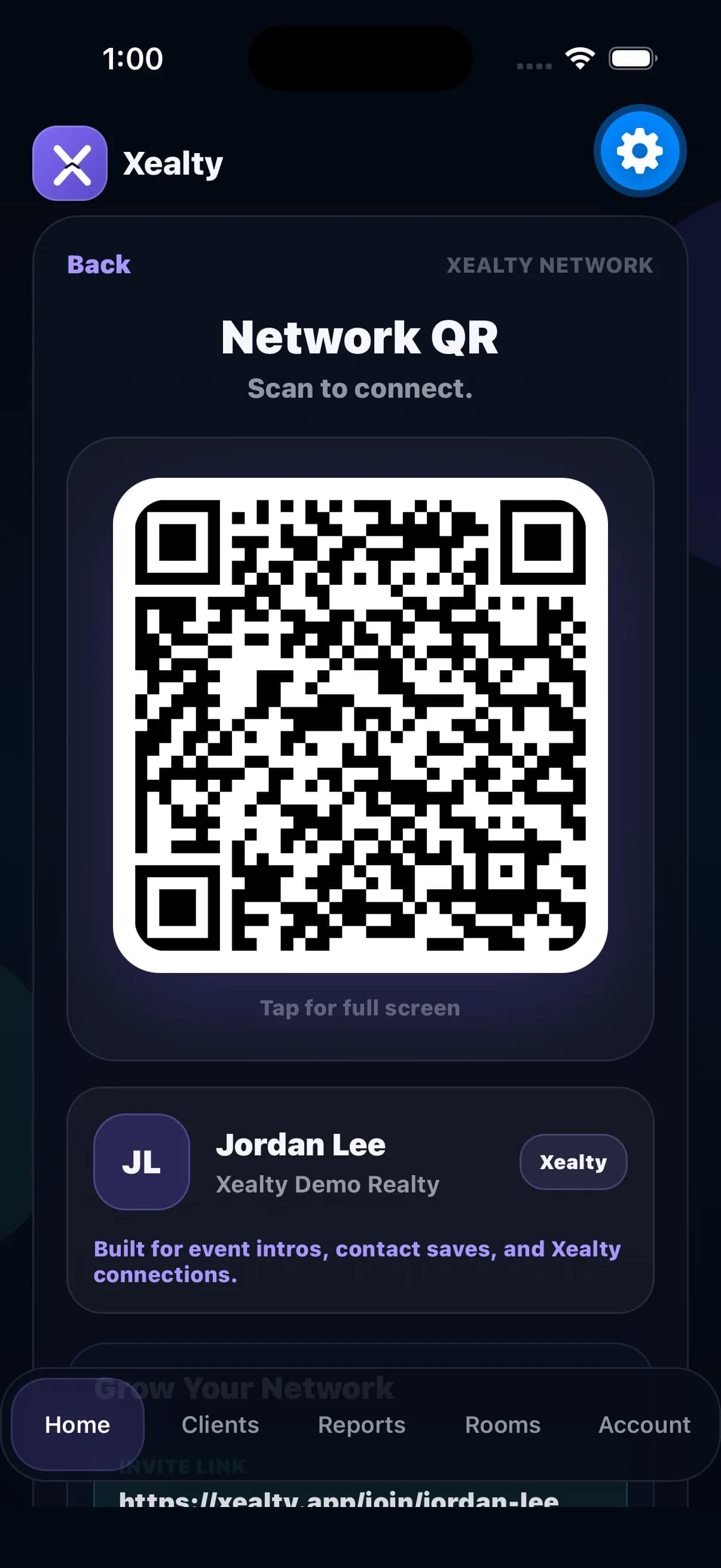
Open Network QR screenshotNetwork QR
1

Step 1

Open Network QR

Open the Network tab when meeting an agent, lender, partner, or client. The in-app QR is ready for quick scans.

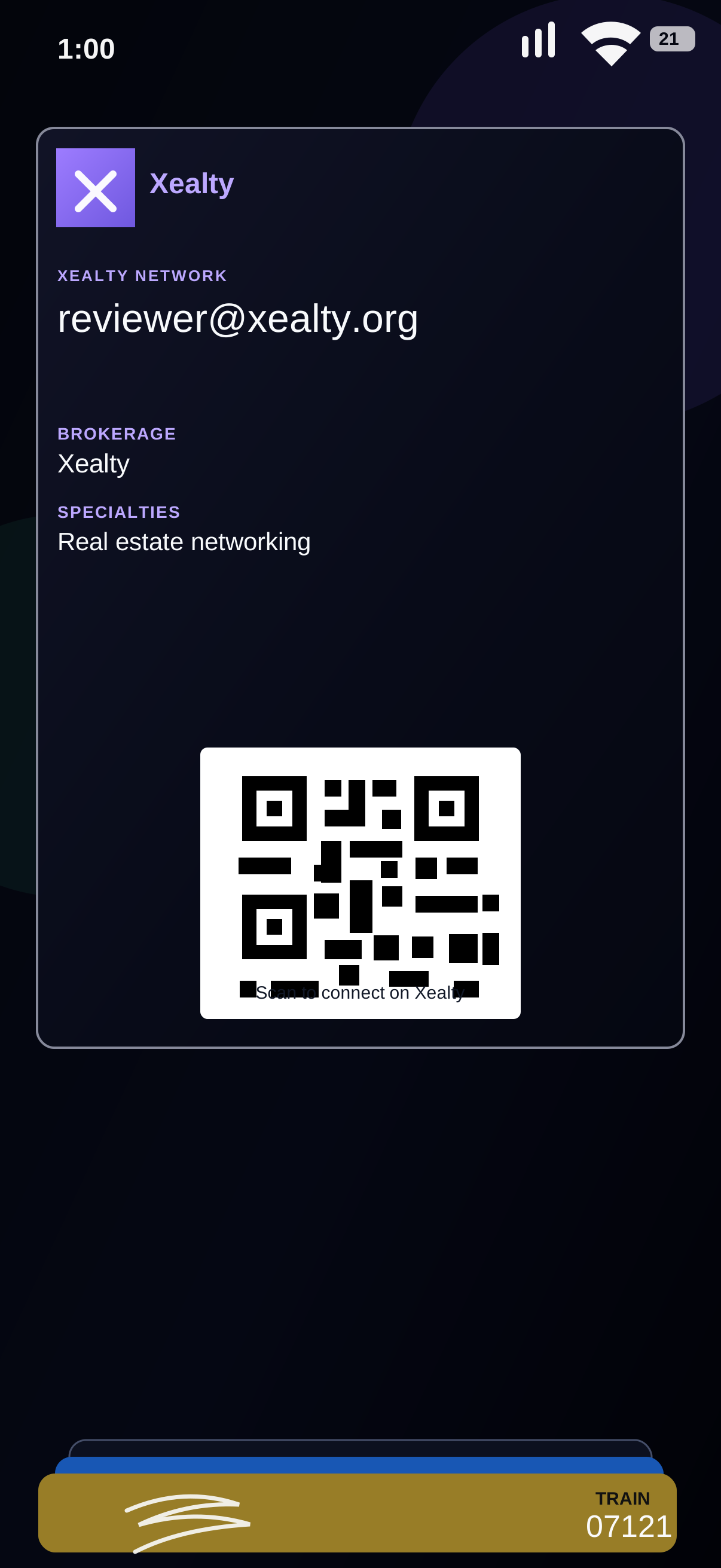
Add to Apple Wallet screenshotWallet QR
2

Step 2

Add to Apple Wallet

Realtors can add the Xealty Network card to Apple Wallet so their QR is available even when they are moving through events, open houses, or quick introductions.

Save the connection screenshotSaved contact
3

Step 3

Save the connection

After the scan, the person belongs in the relationship list instead of disappearing as a loose business card.

Add why they matter screenshotSave context
4

Step 4

Add why they matter

Attach the property, event, referral idea, or reason this contact should stay on your radar.

Set the next touch screenshotAdd reminder
5

Step 5

Set the next touch

Add the reminder before the conversation disappears into the conference rush.

Professional Ecosystem

Help trusted professionals enter the network and stay connected.

FindWorkflow 3
Find Professionals

Find the right person when the client needs help.

Find is for the moment a client needs a trusted local person and the agent needs to make a smart introduction.

Result

The client gets a credible referral based on fit and trust signals, not a random public ranking.

Opens the website workflow for this experience.

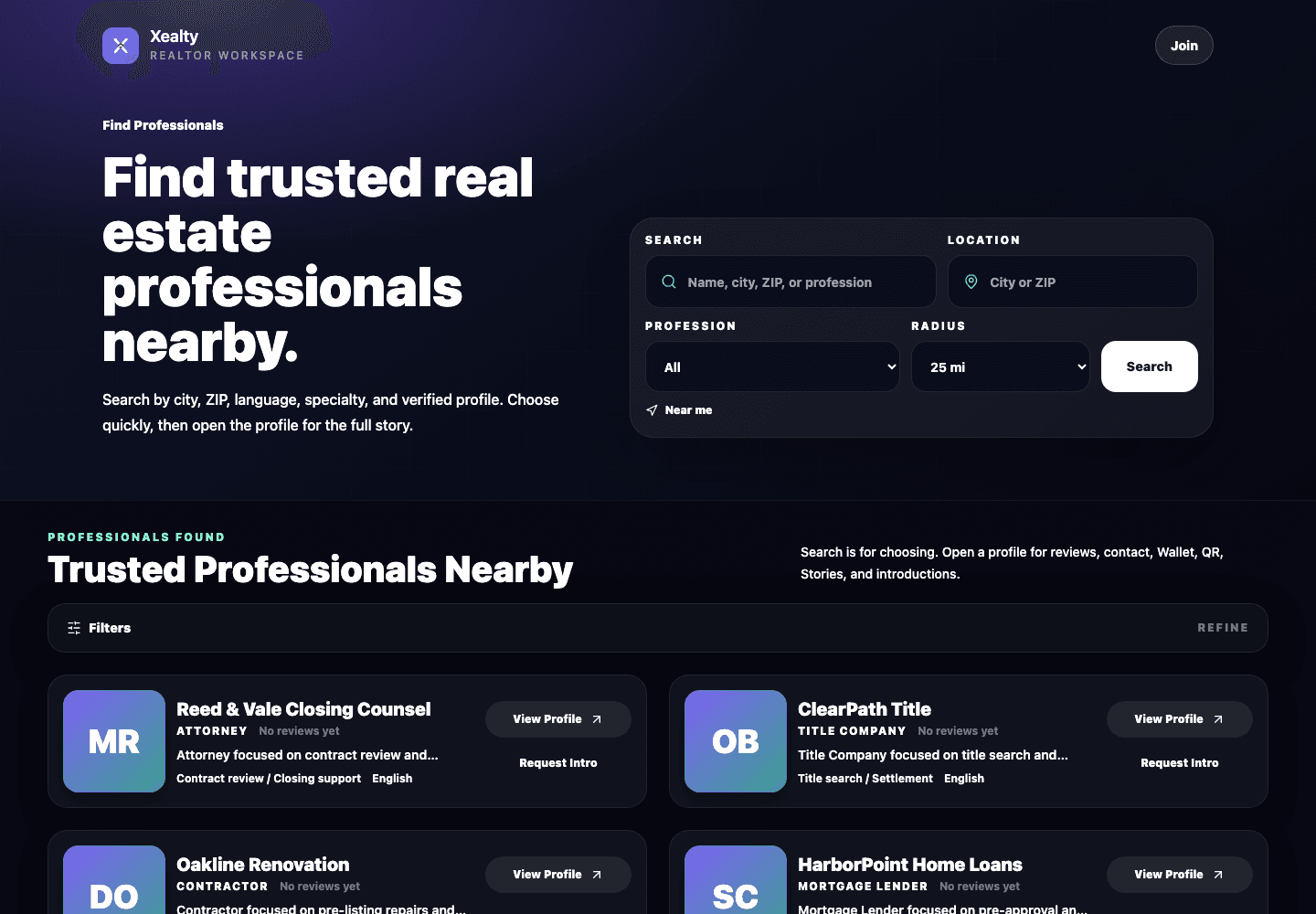
Search nearby website screenshotChoose quickly
1

Step 1

Search nearby

Use Find to search by profession, city, ZIP, language, specialty, or verified profile without digging through a directory.

Open the profile website screenshotFull profile story
2

Step 2

Open the profile

Open the full profile when someone looks like the right fit. Reviews, contact details, markets, languages, and intro actions live there.

Professional Ecosystem

Help trusted professionals enter the network and stay connected.

Partner PortalWorkflow 4
Partner Portal

Real estate professionals can join from the web.

The portal is for people who work around the transaction: lenders, attorneys, inspectors, title, insurance, contractors, photographers, stagers, and other trusted local professionals.

Result

Partners can be discovered, reviewed, shared, and referred from a simple website portal while agents keep using the app.

Opens the website workflow for this experience.

Create profile website screenshotComplete profile
1

Step 1

Create profile

Register as a real estate business professional with name, company, category, markets, languages, license info, website, and short bio.

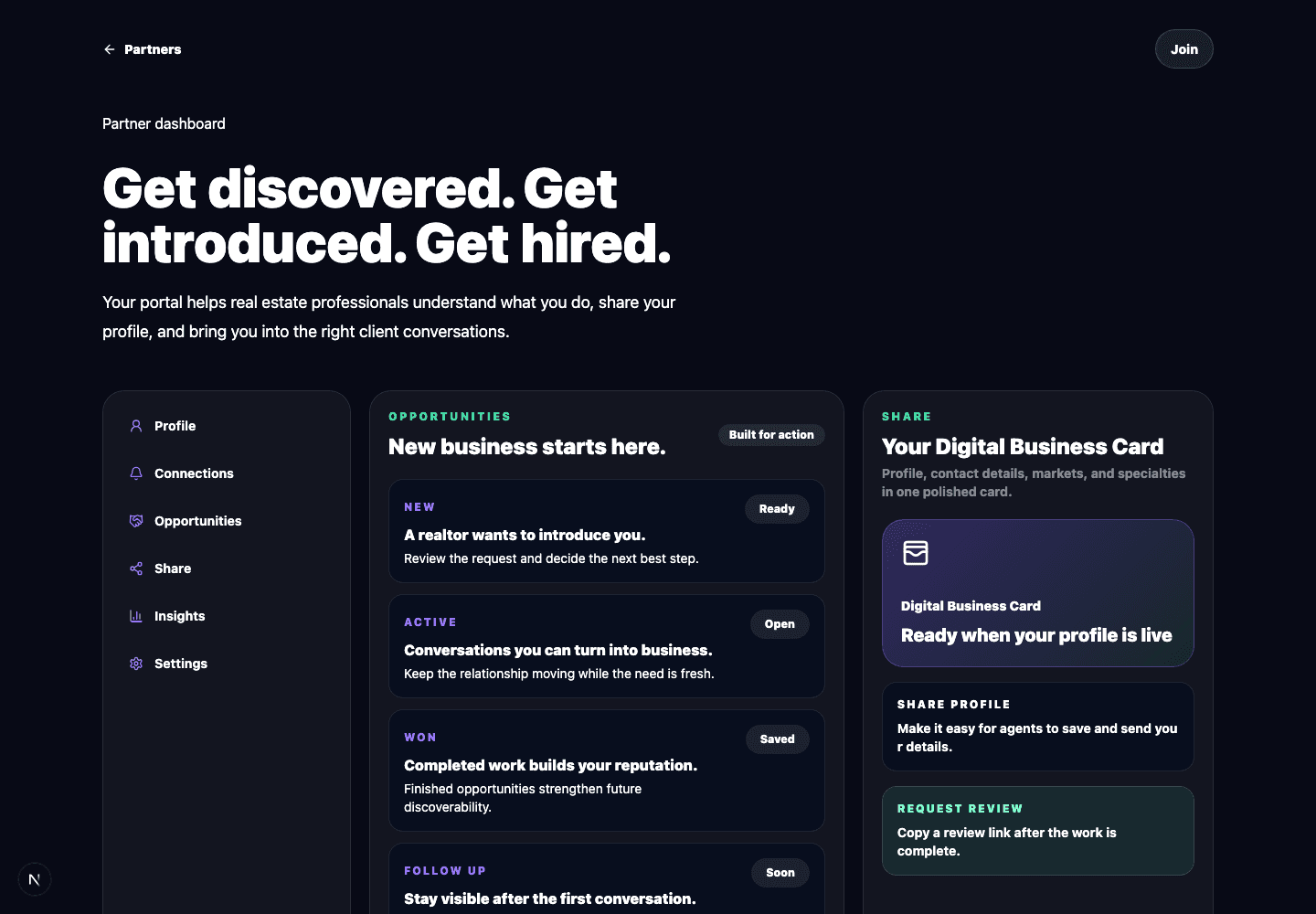
Use the portal website screenshotPortal dashboard
2

Step 2

Use the portal

After activation, the dashboard shows profile tools, share links, review requests, and referral activity.

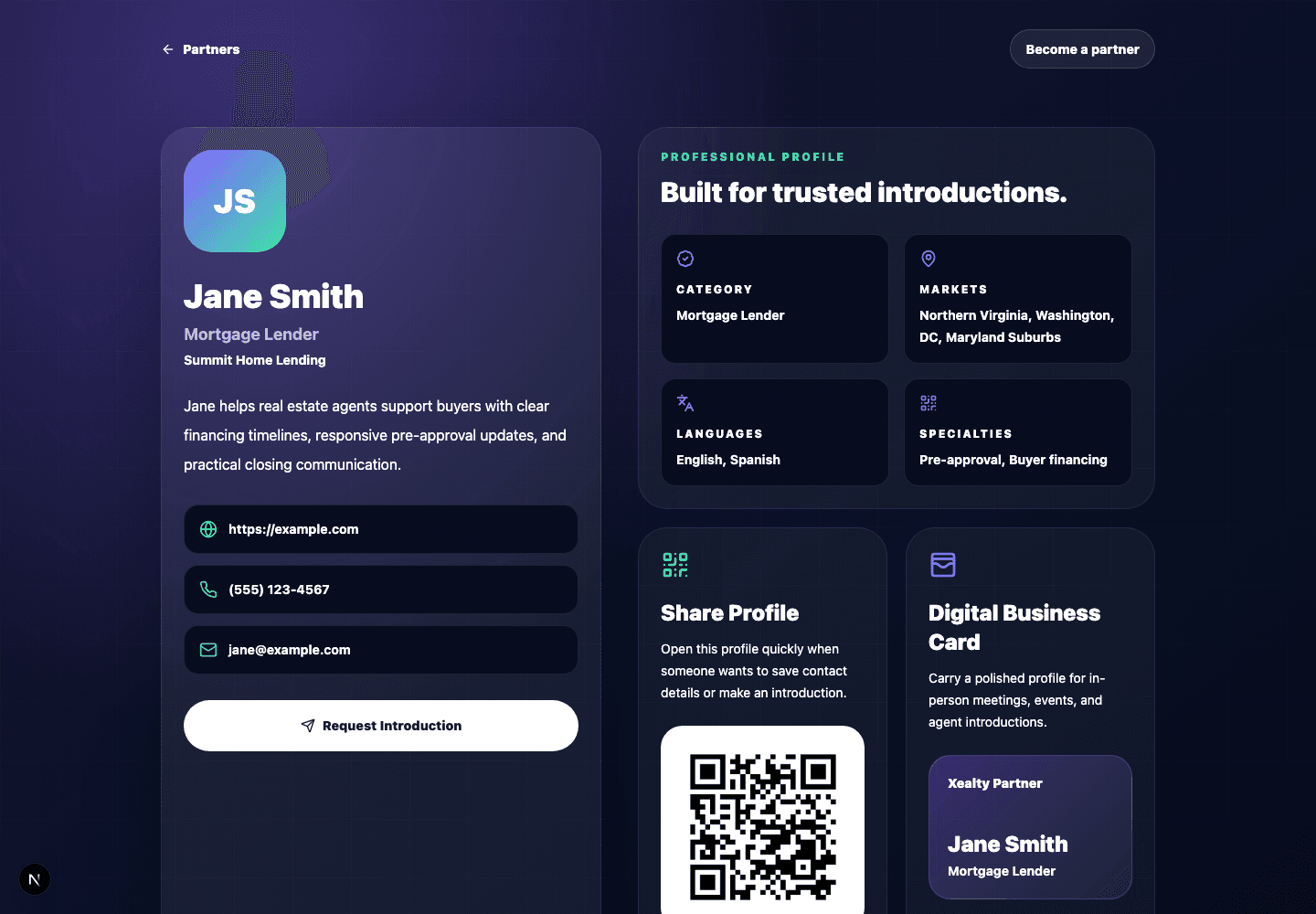
Share public profile website screenshotPublic profile page
3

Step 3

Share public profile

Send the public profile URL to agents and clients so they can verify services before reaching out.

Grow from the dashboard website screenshotReviews and referrals
4

Step 4

Grow from the dashboard

Copy review links, track profile visibility, review momentum, and follow referral activity without signing into the realtor workspace.